




ZSVEDIO Surveillance Cameras ip camera outdoor wifi onvif wireless security 720P Night Vision Device monitor wi-fi Безопасность и - купить
Специальная цена *
Категория товара: Surveillance Cameras

История изменения цены
Купить ZSVEDIO Surveillance Cameras ip camera outdoor wifi onvif wireless security 720P Night Vision Device monitor wi-fi | Безопасность и


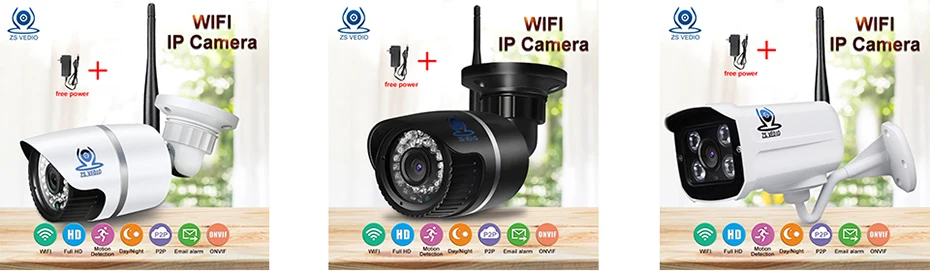
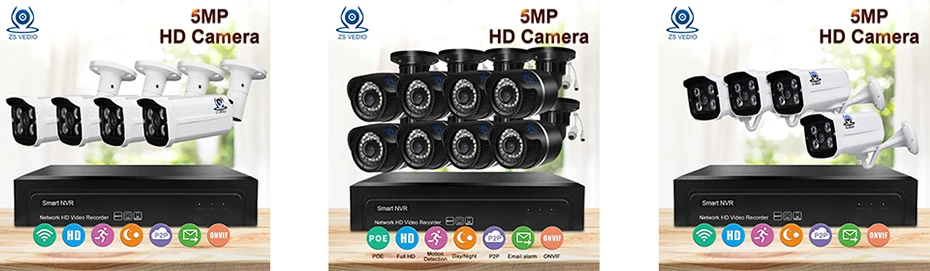

Handheld Device Supported: iOS, Android, 3G/4G Smartphones & Tablets.
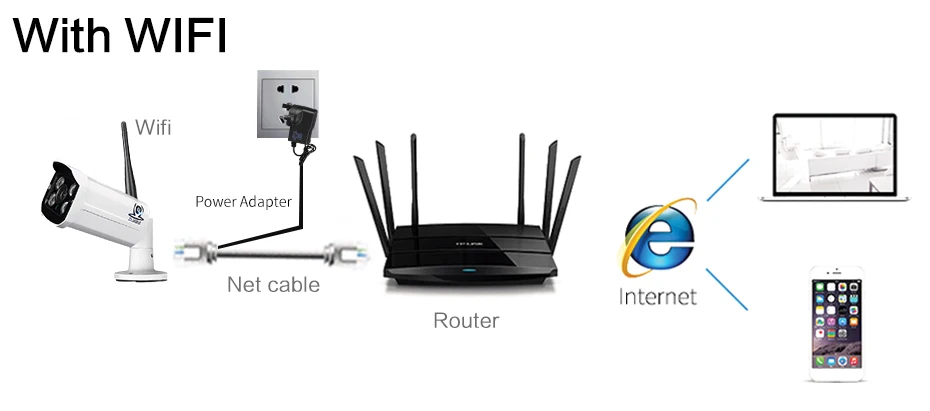
Dual working modes, even though without Wi-Fi, you can use cellphone direct contact the camera's Wi-Fi, your cellphone could remote monitoring anytime and anywhere.
Support P2P remote access, using free APP and PC software.
Support motion detection.The camera will be triggered to snapshot when detect something moving,then intelligent alarm and push alarm message to your cellphone.
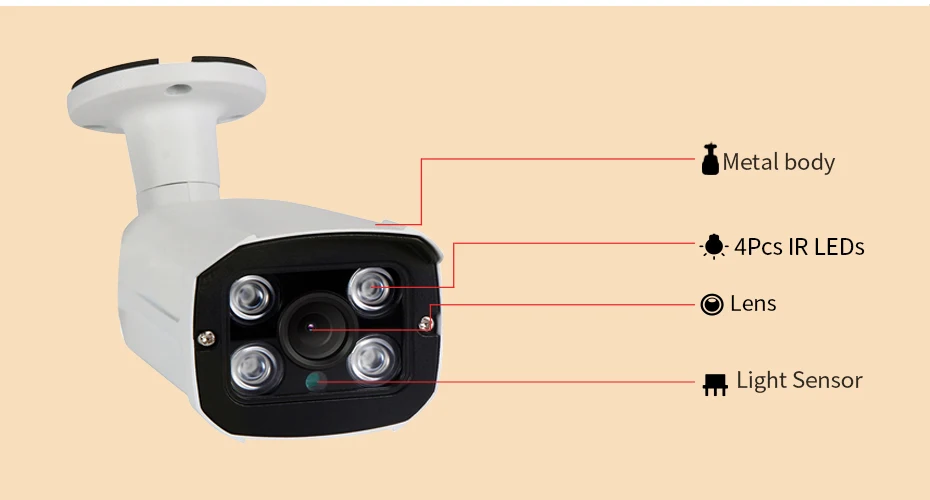
Support infrared night vision 24-hours monitoring.

Bullet IP Camera*1 Rubber plug*3 CD*1 Waterproof*1 Instruction*1

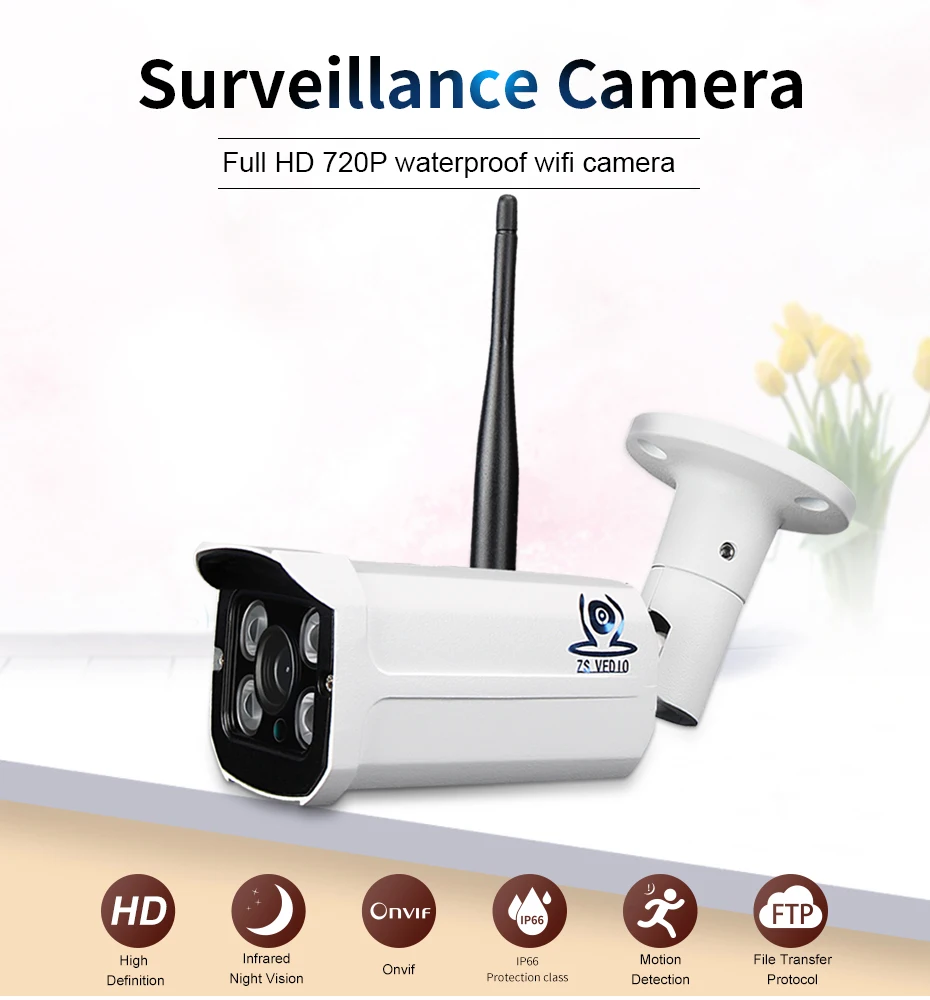
High-definition
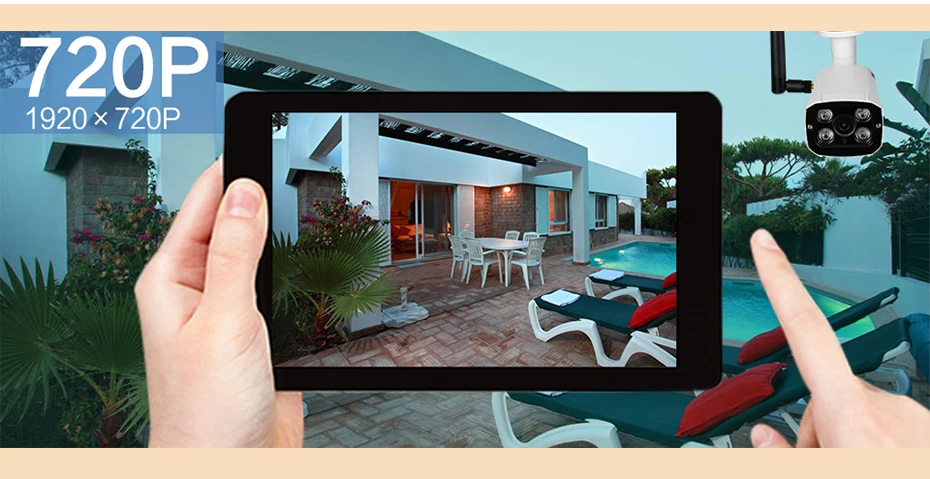
This camera is capable of generating stunning 720P video beautifully to present pristine color and smooth on-screen movements, the screen is still clear. You can see the video you want to see anytime, anywhere.
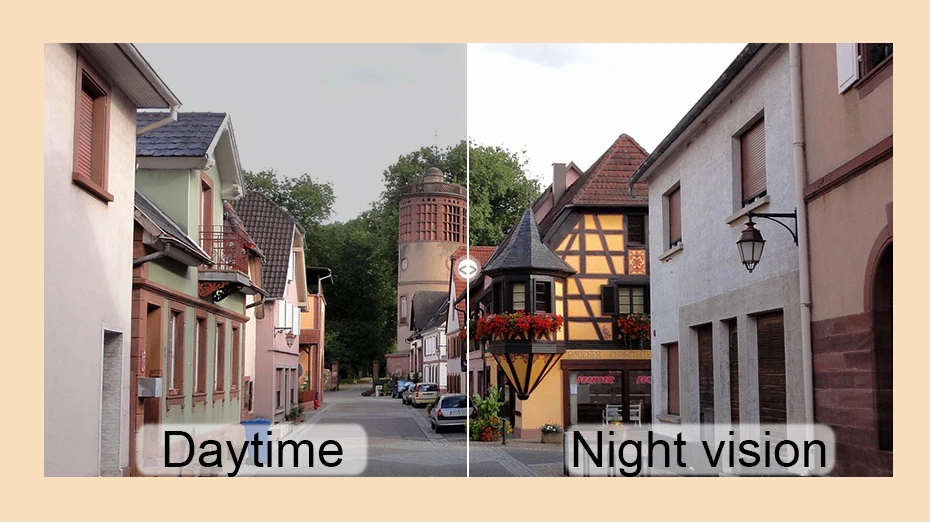
Infrared night vision
Infrared LED with sensors see in total darkness. When ambient light drops below a certain point, a device within the camera switch from color to black and white and turns on the LED.
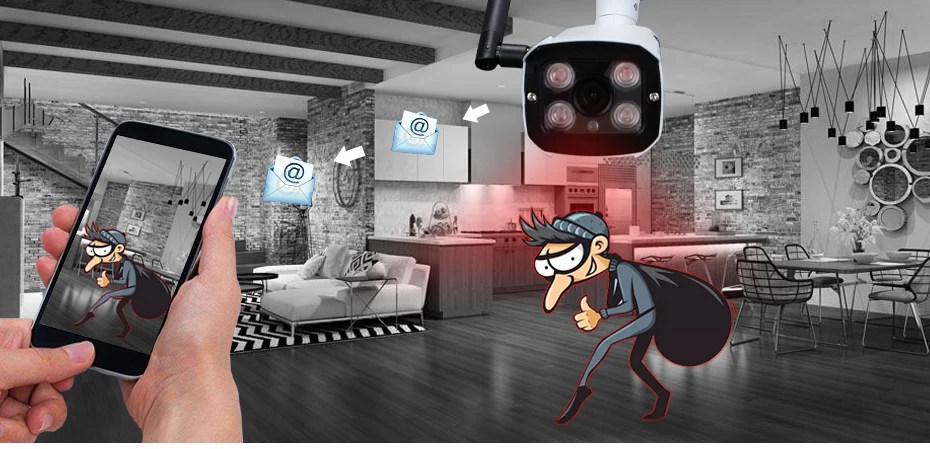
Motion-Activated Email Alarm
In attempt to make you stay alarmed of all unexpected movements in your house. Motion detection works perfectly with email alert function making sure you are always the first one to get informed when things happen.
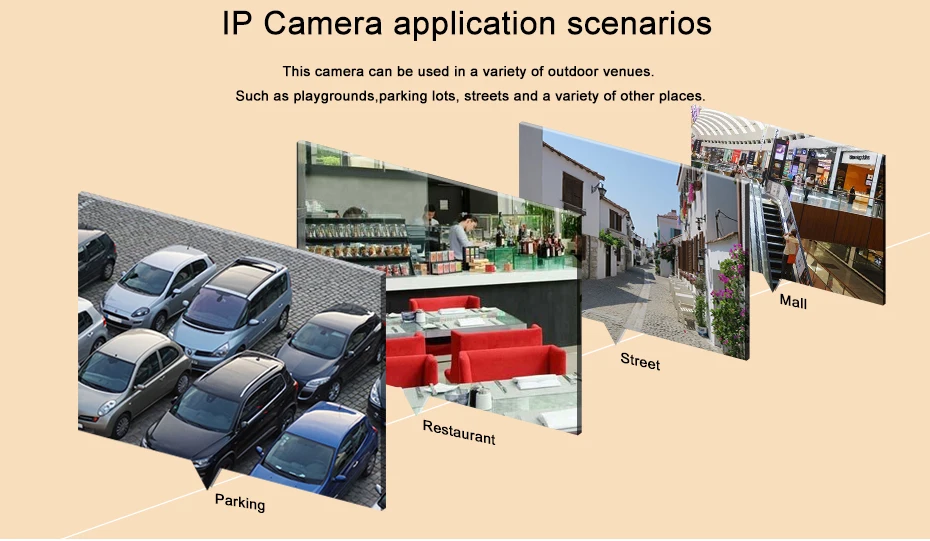
Can be used in a variety of scenes
Home/office/Classroom/Clothing store/Look at pets/Factory...
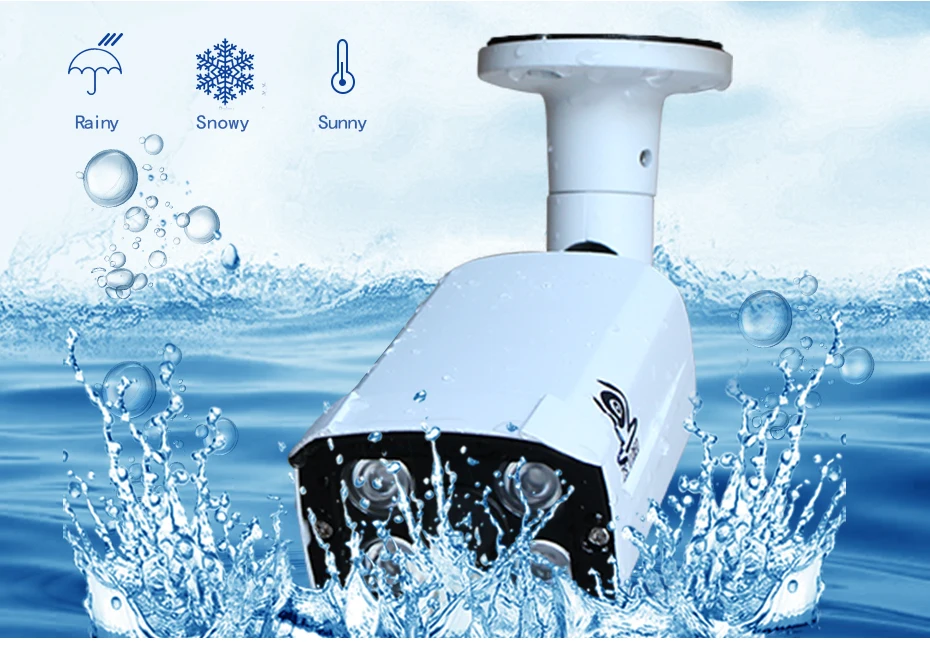
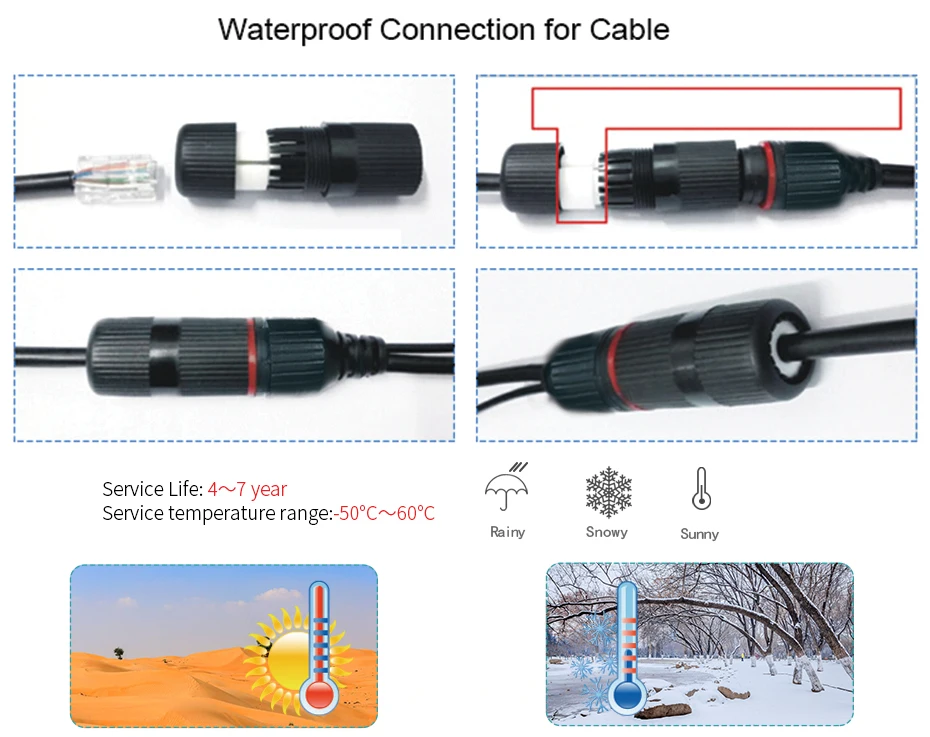
IP66 class waterproof
For a variety of weather and hot and cold temperatures,IP66 waterproof for indoor and outdoor use.
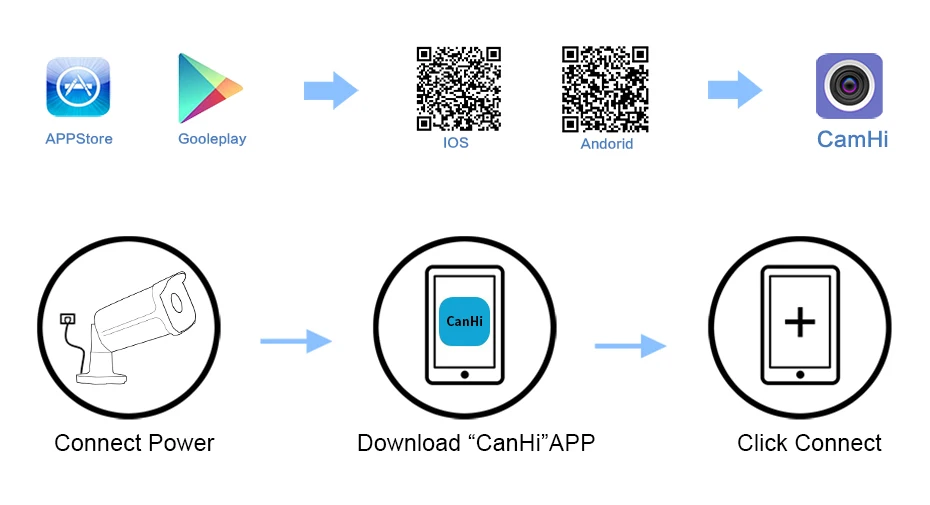
Fast and easy setup
View your camera online Within minutes. With the P2P Server Technology, no complicated port mapping or DDNS setting needed. Simply scan, connect, Then Enjoy Live Video. If you Changed Wifi. Just delete device on app and add device under the new wifi.
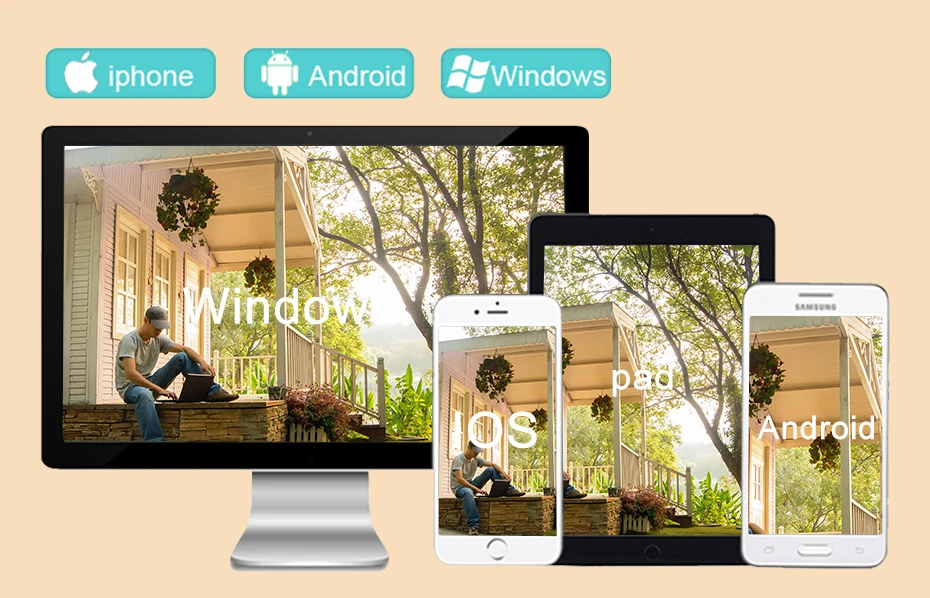
Multi-platforms watching
Easily access to Monitoring interface via cellphone,tablet or computer.



| Camera | 720P | 960P | 1080P | |
| Processor | HI 3518E + OV9732 | HI 3518C + Aptina AR0130 | HI 3518E | |
| Image sensor | 1/4" 1.0 MP CMOS | 1/3" 1.3 MP CMOS | 1/3" 2.0 MP CMOS | |
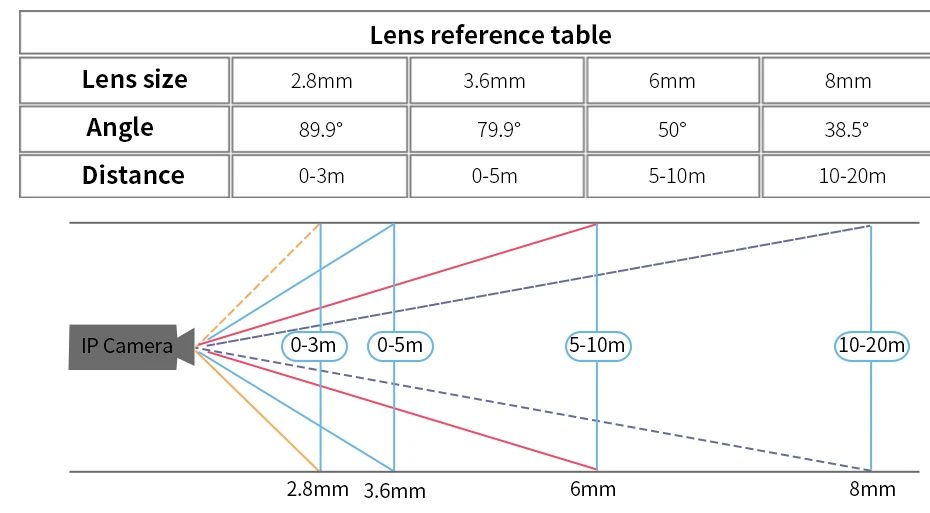
| Lens | 2.8mm 3.6mm(default) 6mm 8mm | |||
| IR Distance | 25 meters | 20 meters | 12 meters | |
| Power Consumption | DC 12V 2A | DC 12V 2A | DC 12V 2A | |
| Working Temperature | -20℃~+55℃ | |||
| Working Humidity | <95% | |||
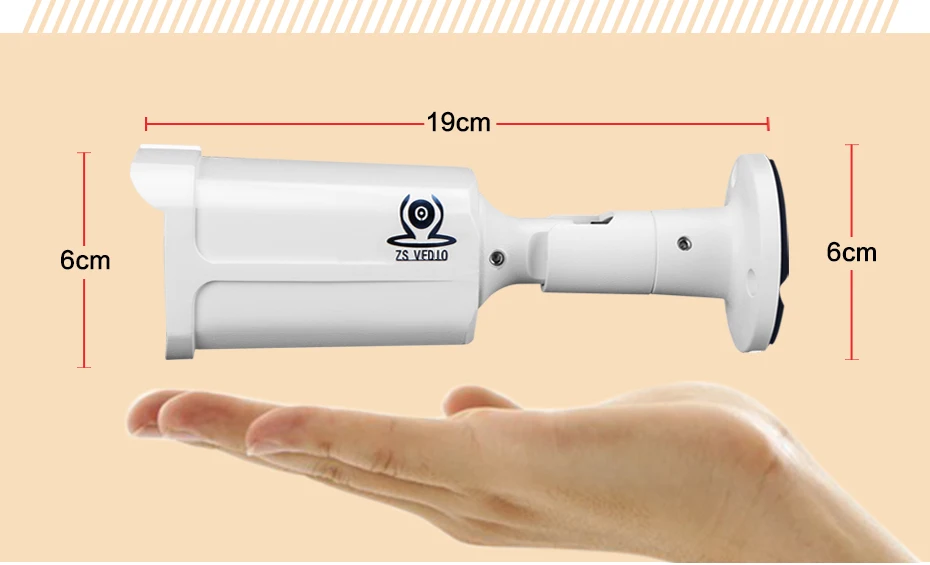
| Weight | 0.5KG | |||
| Video | Video Codec | H.264 main profile and baseline | ||
| Video Resolution | 720P | 960P | 1080P | |
| First stream:1280x720 | First stream:1280x960 | First stream:1920x1080 | ||
| Second stream:640x352 | Second stream:640x480 | Second stream:640x352 | ||
| Three stream:320x240 | Third stream:320x176 | |||
| Frame Rate | 20fps | 25fps | 20fps | |
| Video Compression | 32Kbits/s ~ 6Mbits/s | 32Kbits/s ~ 6Mbits/s | 32Kbits/s ~ 6Mbits/s | |
| Min. Lux | 0.1Lux | |||
| Audio (Optional) | Audio input | 1 ch Line/Mic | ||
| Audio output | 1 ch Line out | |||
| Audio Codec | G.726/G.711 | |||
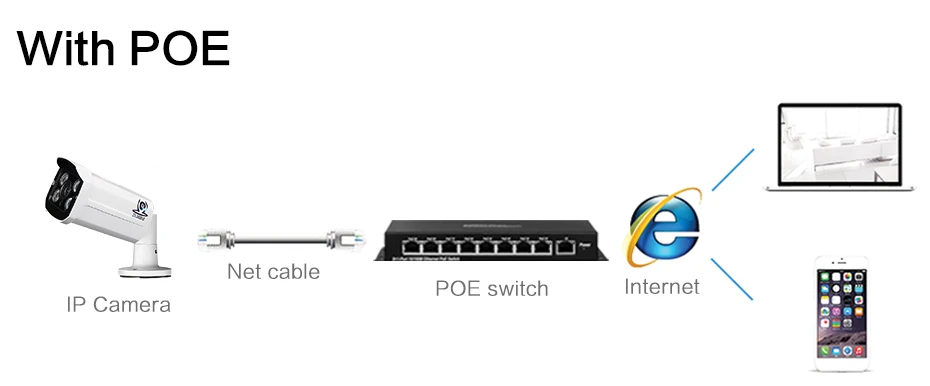
| Network | Interface | RJ45, DC Power | ||
| Network Protocol | TCP/IP, HTTP, TCP, ICMP, UDP, ARP, IGMP, SMTP, FTP, DHCP, DNS, DDNS, NTP, UPNP, RTSP, ect. | |||
| Access Protocol | ONVIF 2.1, i13, P2 | |||
| Alarm | Motion detection | 4 respective regions at most | ||
| Alarm linkage | Send alarm pictures by E-mail or upload to FTP server | |||
| Snapshot | Supports regularly capturing images to FTP server | |||
| Safety | User management | Provides three levels of rights management (admin, user, guest). Supports modify login user name and password | ||

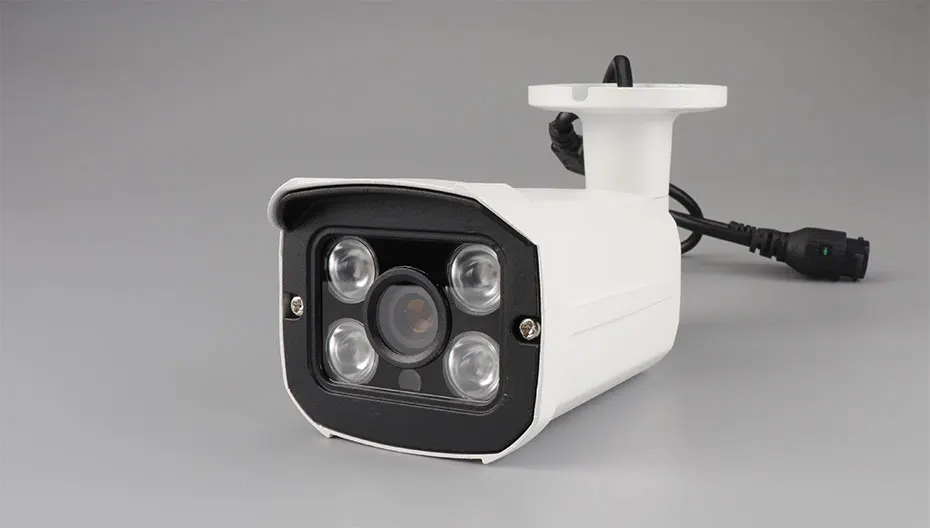
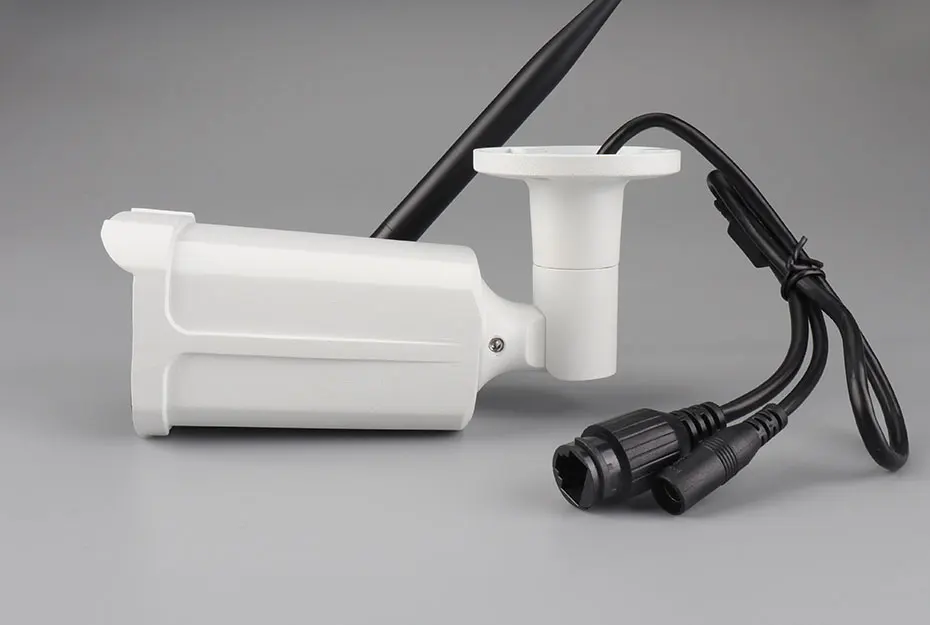
Step 1: How to find camera's IP address and change it ?
1. For the first time, suggest connect the camera directly to your PC via a network cable.
2. Install the "SeachTool" to find the camera's IP address.
3.Change the device IP and gateway. Note Keep the gateway consistent with your local.
4. If you want to use a fixed IP address for the camera, please do not choose "DPCP".
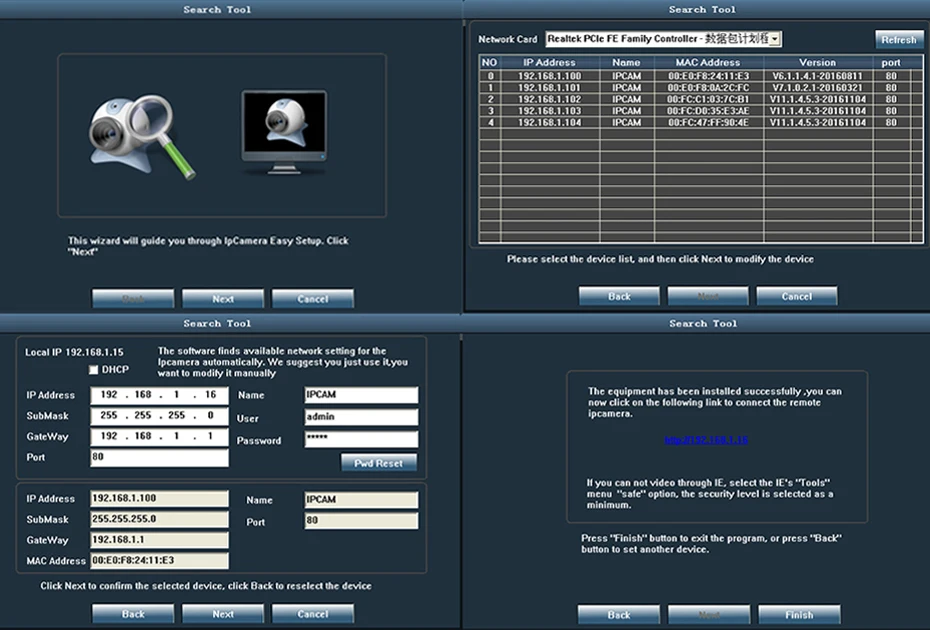
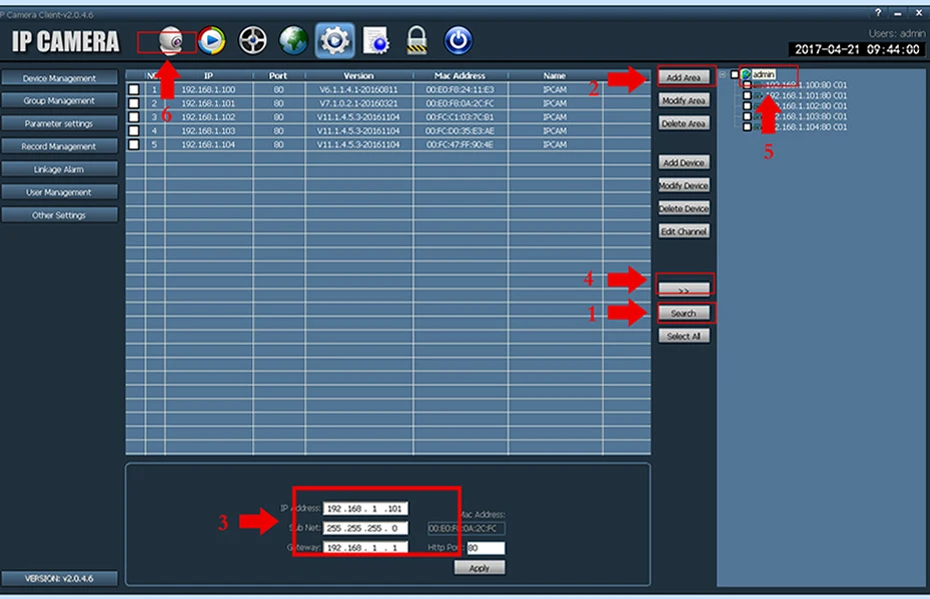
Step 2-a : How to use PC client software view?
1. PC client use name: admin, the initial password is empty.
2. 1) Search for device IP.
2) Add area.
3) Changa the device IP to what you need.
4) Move the device to the new area.
5) Select the device.
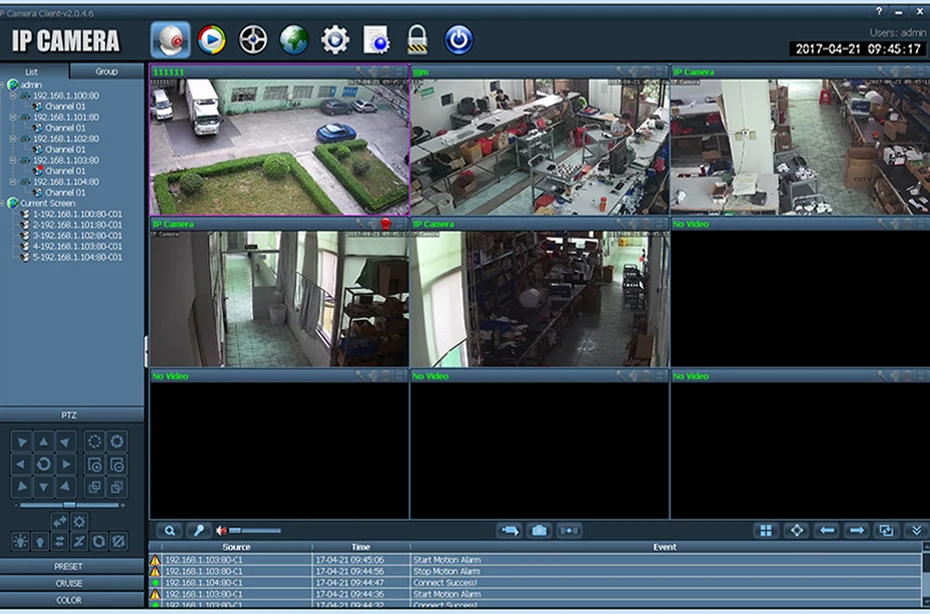
6) Click the "Camera" icon to view it.
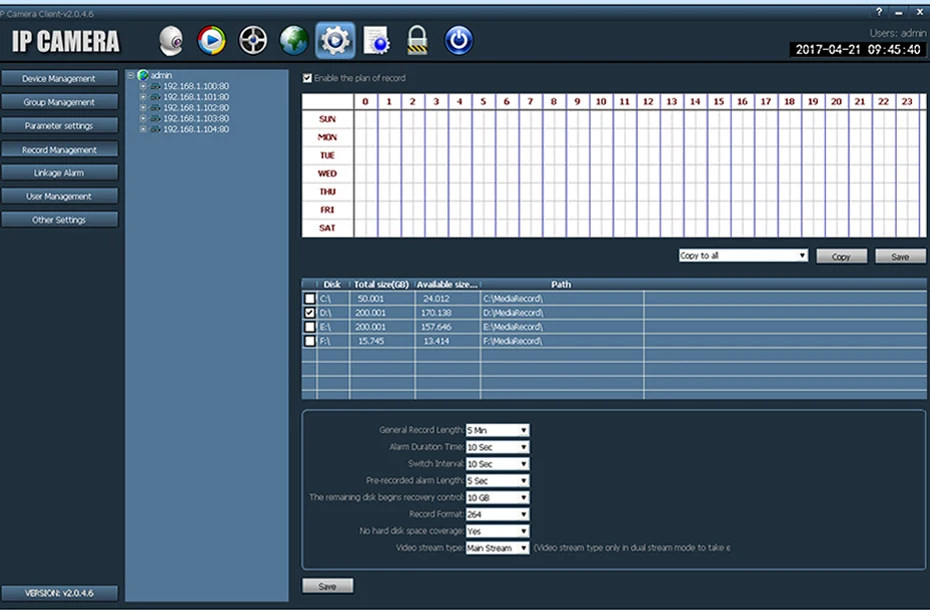
3. Set to save the video to PC when you have no NVR.
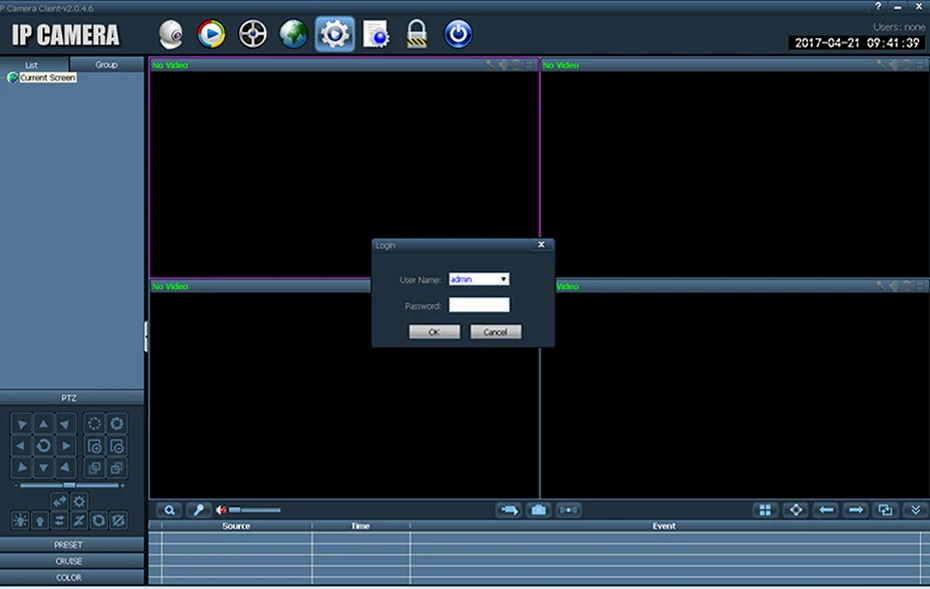
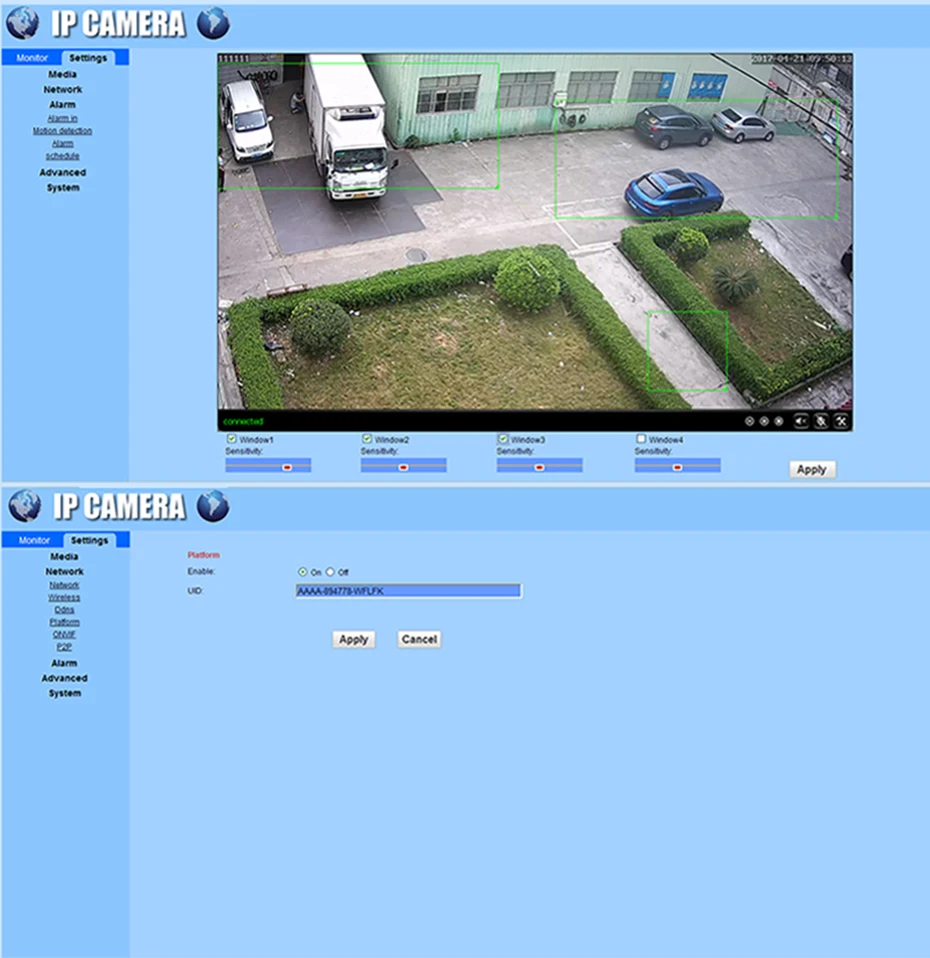
Step 2-b : Browser view and set
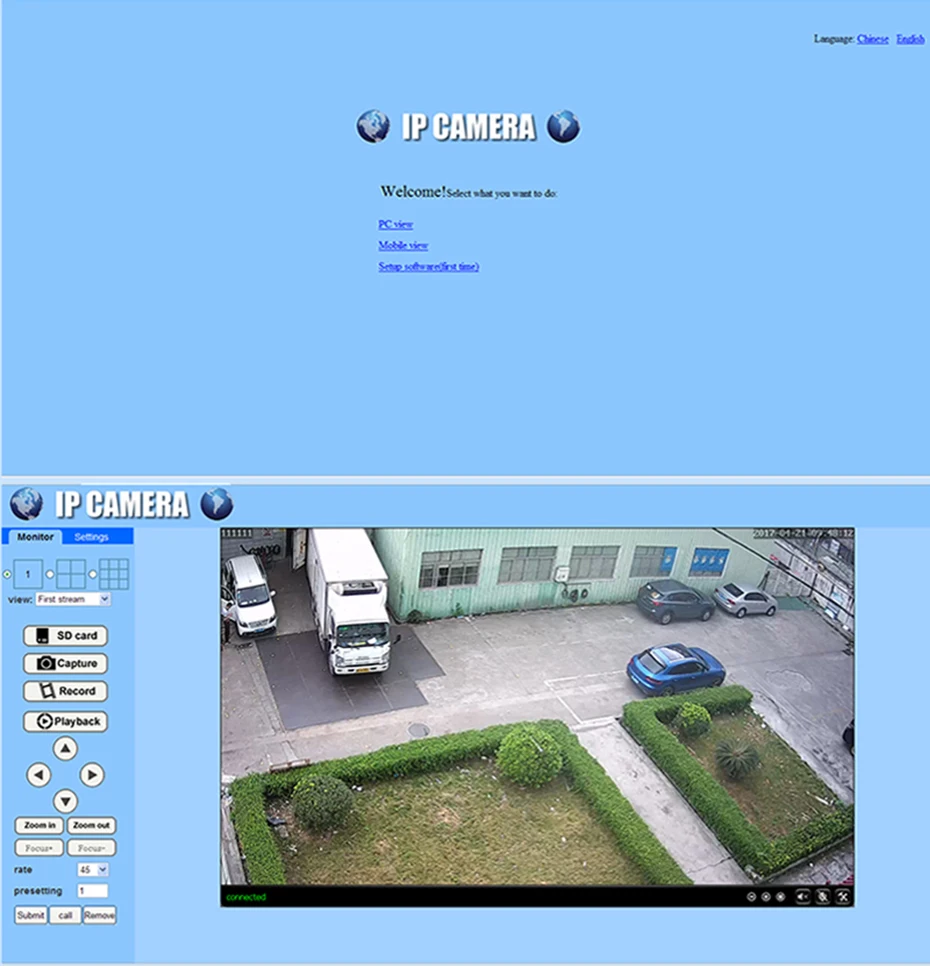
1. Browser input device IP. Recommended use IE 11 ( Compatibility View Mode ).
2. Both the user name and password are: admin. Languages are Chinese and English.
3. Free to adjust the four motion detection area or full screen.
4. Note: Set the alarm. Must set the motion detection area forst.
5. Click "P2P" to get UID. UID is very important for remote access.

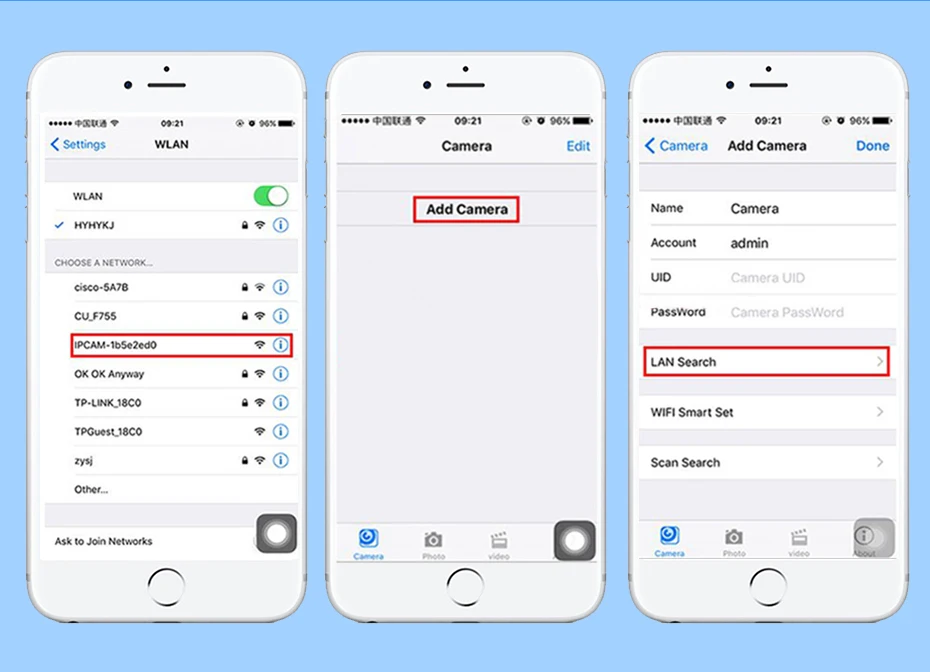
1. Connect camera to power supply and antenna. But NOT the network cable.
Camera will stay in AP mode by default.
2. Go to wifi setting in the Phone. Search for wifi signals.
3. Choose the wifi "IPCAM-00xxxxxx". 00xxxxxx is the last 8 digits for MAC address.
Now the phone is connected to the camera and they've formed a lacal network.
4. Open the APP--CamHi.
5. Click "Add Camera"--"LAN search".
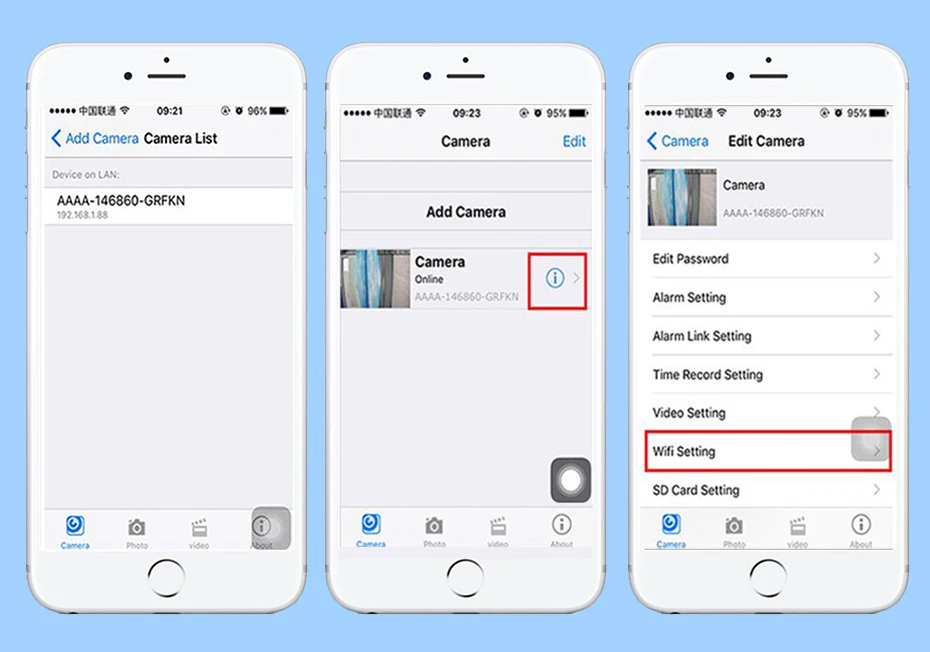
6. Choose a camera on the search list to add it. Enter its name and password ( admin by default ).
7. After camera is online, click " ! " button. And select " Wifi setting ".
8. Choose the SSID of wifi router, and enter password for the wifi signal.
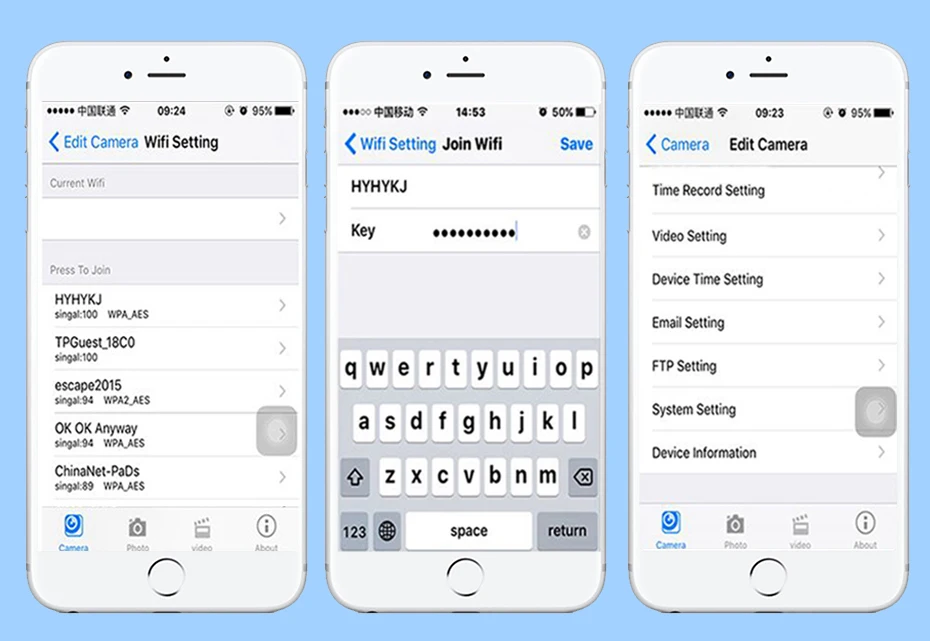
Now camera is connected to the wifi router.
You can revise camera parameters and playback from the phone.
Отзывы о ZSVEDIO Surveillance Cameras ip camera outdoor wifi onvif wireless security 720P Night Vision Device monitor wi-fi Безопасность и
Здесь вы можете оставить свой отзыв о данном товаре.